

Softr, the no-code app platform, just shared a comment I left on LinkedIn about how fast I’m changing a live app that over 50 managers use.
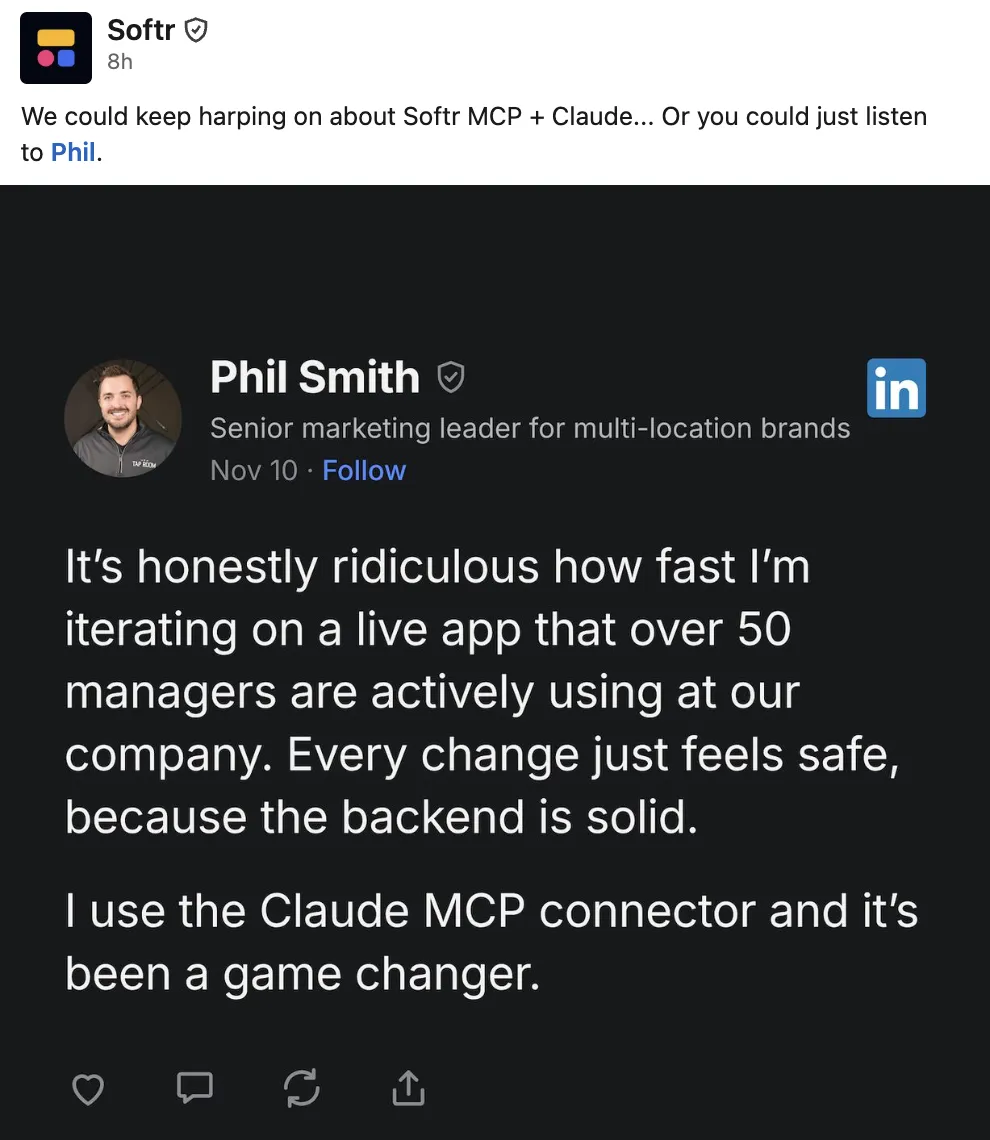
“Ridiculous how fast” is the part people notice. The part that matters is four words: “the backend is solid.”
Anyone can build an app in a weekend now. The real question is whether your business can still rely on it a year from now.
What I’m Actually Changing
The app is an internal portal for the managers at the restaurant group where I run marketing. It’s about 50 pages: every active promo and how to ring it in, event calendars, our monthly newsletter, HR info, store hours and checklists for seasonal events. I build it and keep it running on my own.
In one recent week, I moved a list of 176 promos out of a project management tool and into the portal’s own database, reorganized the whole menu, launched a survey for store managers, and built a checklist board that every store updates for a holiday event.
Where the Hard Part Lives
In an earlier post, I drew an iceberg. The screen you build over a weekend is the tip. Underneath is everything that makes it real software: where the data lives, who can log in, what each person is allowed to see, what happens as it grows, and who fixes it when it breaks.
On Softr, most of that iceberg is the platform’s job. In Softr’s words, the build lands “in a secure system with a database behind it and a login in front of it.”
That’s what I meant by “solid.” The AI isn’t building the foundation every time I ask for a change. The foundation is already there.
What the AI Actually Touches
Softr’s MCP connector is how Claude works inside Softr. MCP is a standard way to let an AI assistant use another app, with permissions you set.
Through it, Claude can work in the database (tables, fields and records) and build pages, custom blocks and workflows. Softr says the connector “follows the permissions you’ve granted it.” It refuses the first attempt to delete a database table that still has data in it. And every change to a custom block saves a version you can roll back to.
So the AI moves fast on the data and the screens, inside limits the platform sets. The logins, hosting and permissions underneath stay the platform’s job.
Under the App, It’s a Spreadsheet
If you don’t write code, here’s the easiest way to picture what I mean by “the backend is solid.”
Underneath most business apps is a database, and a database is basically a spreadsheet. It can do some fancy things, but its job is to keep information organized in rows and columns. One row per promo. One column for the start date, one for the end date, one for which stores it runs at. Once the data is in there and set up well, it’s pretty safe.
That’s also work AI handles easily: data, plain language and simple operations. Add these columns. Import these rows. Flag anything that ends this week.
And once the data is planned well, the part most people think of as “the app” is really just different ways of looking at it. The promo page, the list of register buttons and the “live now” section on the home page all read the same rows.
That’s why I’m happy to take liberties up top. It’s the one place I’ll vibe code without worrying about it. If a new page doesn’t work, Softr saves a version of every change to a custom block, so I can roll it back. Or I have Claude whip up a different one. Or I open Softr and build a clean page myself with its ready-made blocks. Whatever I try on the screen, the data underneath stays where it is.
What a Change Looks Like
Here’s the part the comment doesn’t show.
I work with Claude in a Claude Code project: a folder on my computer that Claude reads before it does anything. Mine holds what it needs to know. How the business works. Who uses the portal and what each group should see. How the app is built, down to every table, page and block. Step-by-step instructions for jobs I repeat, like adding a new promo. And the rules I’ve learned the hard way.
So I don’t explain the app every time. I just say what I want.
Take that week’s biggest job, moving the 176 promos. I asked Claude to plan it. It read the old list, mapped every field to a new table, and came back with a plan and five questions for me. Along the way, it caught something I hadn’t asked about: two of the old promo pages could be opened by anyone with the link, not just logged-in managers. That got fixed the same night.
I answered the questions. Then, that same evening, Claude did both halves in one conversation:
Before anything was published, it previewed the new page logged in as a store manager, on a computer and a phone, and fixed what didn’t fit on a small screen.
The next morning, I noticed some text sitting on top of an image in a pop-up. One sentence from me, and it was fixed, checked on a phone and live that morning.
That’s the speed in the comment. I talk through the change, and the data work and the design both happen in the same conversation.
What’s Still on Me
The platform makes the change safe. It doesn’t make the change right. That part is still on me:
- I designed the data. What’s a table, what links to what, which fields drive who sees which page.
- I decide who sees what. A store manager, a shift manager and the leadership team each see a different portal.
- I check it as a manager would. Before anything goes live, I look at it logged in as a store manager, on a phone, because that’s where half of them use it.
- Nothing publishes without me. Claude can draft. I say when it goes live.
Softr says it plainly in its own comparison with Claude Code: “if you don’t know what you’re doing, you simply can’t expect to publish a secure app with Claude Code alone.”
A solid platform plus someone who knows what right looks like. That’s the combination. Either one alone isn’t enough.
The Trade-Off
This isn’t free. The app lives inside Softr. It isn’t code I own outright, and Softr’s own comparison says so.
For an internal tool that one person maintains for 50 managers, that’s the right trade. I built it on purpose so it could be kept running by someone who isn’t a full-time developer. Including me.
For a public website, I’d make a different call. That’s why I’ve started moving some sites to code in a repository, where the owner holds the keys. Different job, different foundation.
The Bottom Line
Everyone’s asking how fast AI can build. The better question is what it’s building on.
AI can build a screen in minutes. What’s under it decides whether it holds up for real users. A solid platform lets AI move fast on the screen and keeps the rest out of reach.
Pick the foundation first. Then let the AI move fast on top of it.
If you want an internal tool your team will actually use, built on something that won't fall over, let's talk.